
CAR & BIKE
2026.08.26
【In-Vehicle Gadget】Transform your OEM display into a smartphone! Enjoy videos and maps with an Android Box
I want to enhance functionality without replacing the in-vehicle display. If that can be achieved with an aftermarket gadget... then that is my ideal. I recommend the "MINIEYE PCS61," which turns your usual in-vehicle display into an Android device.
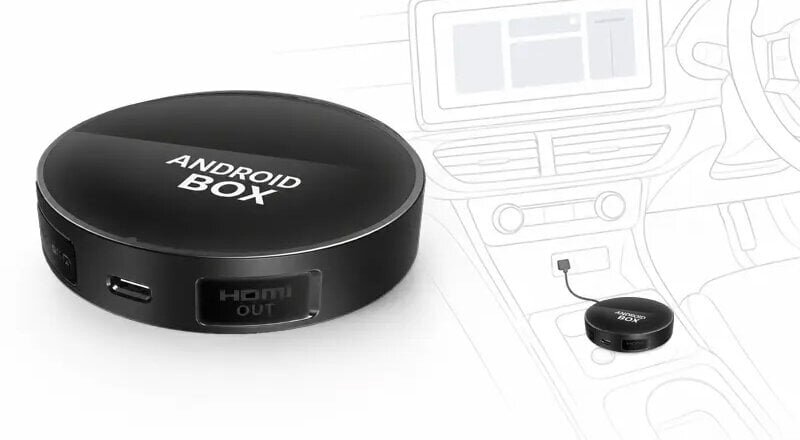
Just plug it into the USB, and the in-car display becomes Android 13
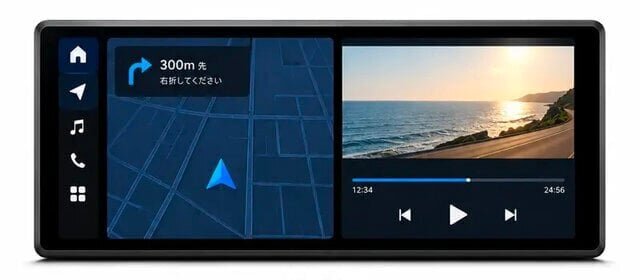
Enjoy videos, music, and maps on the in-car display with the aftermarket gadget "MINIEYE PCS61." Above all, the ease of being able to utilize the existing in-car display is the best feature. By simply connecting it to the car's wired CarPlay compatible USB port using the included cable, the Android 13 screen is displayed on the in-car display.
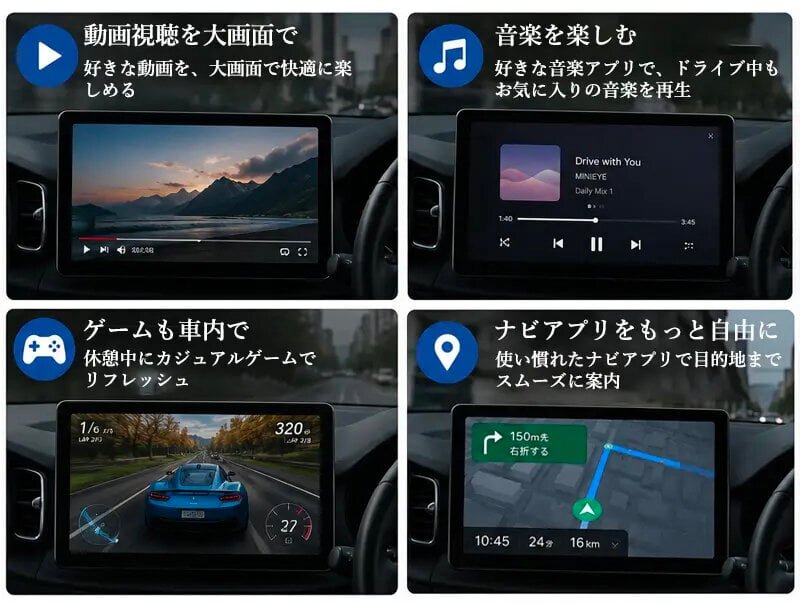
There is no need to replace the display or modify the vehicle. Just connect to the internet via Wi-Fi or smartphone tethering, and you can enjoy apps you usually use on your smartphone, such as videos, music, and maps, on a large screen.
There is no need to replace the display or modify the vehicle. Just connect to the internet via Wi-Fi or smartphone tethering, and you can enjoy apps you usually use on your smartphone, such as videos, music, and maps, on a large screen.
The operation feel is also close to that of a smartphone, supporting home screen widget display, control center, and floating balls to access functions from the screen. Since you can choose the navigation app you prefer, you can create a navigation environment suited for commuting, weekend outings, or long-distance drives.
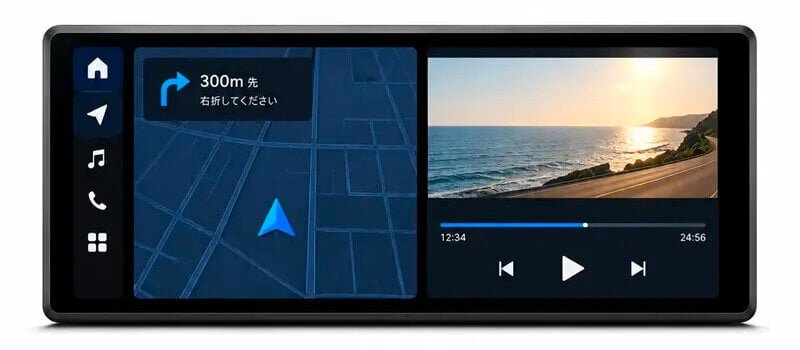
Personally, what attracted me was the ability to support the screen split function that allows two apps to be displayed simultaneously on a single in-car display. It is possible for the passenger to operate music or video while looking at the map. Furthermore, with an HDMI output terminal, you can connect to a rear seat monitor using a separately sold MINI HDMI cable, allowing you to enjoy video in the back seat as well. This will be convenient for long periods spent in the back seat during family trips or visits home.
In addition to the main Android screen, it supports switching to wireless CarPlay and wireless Android Auto displays. It uses a Qualcomm 6225 CPU and has 8GB of memory and 128GB of onboard storage, allowing it to smoothly handle operations like launching apps, switching screens, displaying maps, playing videos, and screen splitting.
Note that a wired CarPlay compatible in-car display is required for use, and availability varies depending on the vehicle model, year, grade, and navigation specifications.
Product name: MINIEYE PCS61 In-car Android Box
Price: 39,800 yen, special price: 36,300 yen~
Size: Diameter 85mm × Height 20.5mm
Weight: Approximately 119.3g
OS: Android 13
CPU: Qualcomm 6225
Memory: 8GB
Storage: 128GB
●PlayWings
Price: 39,800 yen, special price: 36,300 yen~
Size: Diameter 85mm × Height 20.5mm
Weight: Approximately 119.3g
OS: Android 13
CPU: Qualcomm 6225
Memory: 8GB
Storage: 128GB
●PlayWings
- SHARE







 FASHION
 OUTDOOR
 WATCH
WATCH CAR & BIKE
 SNAP
SNAP DINING
 LIFE
LIFE GADGET
 GOLF
GOLF